How to import a color palette into Procreate
Turn any image into a Procreate palette in about a minute: a photo, a painting you love, or the reference for your next piece. It’s free, it works in Safari on your iPad, and your image never leaves your device.
Open Image to Palette
In Safari on your iPad, go to mycolourtaste.com/palette and tap Add image.
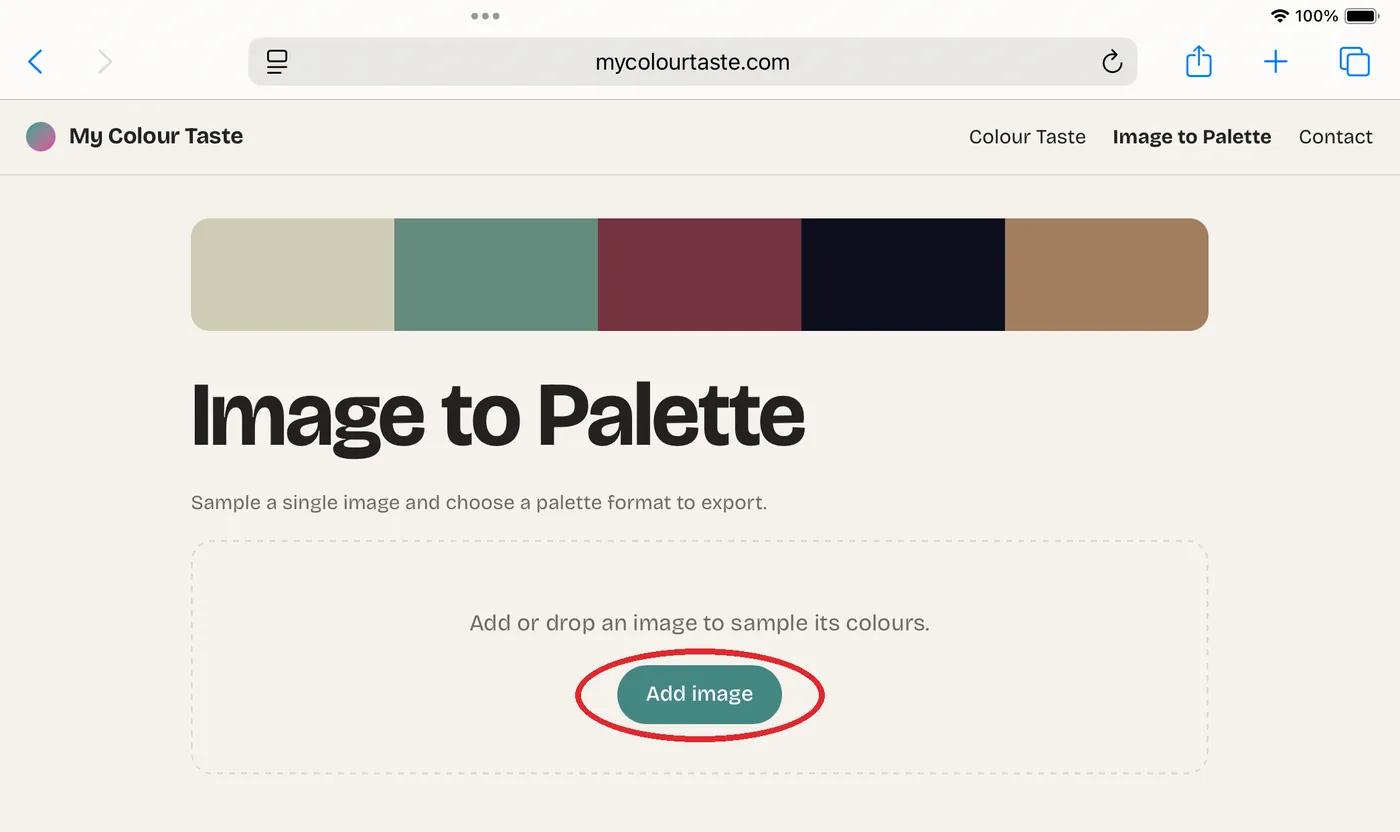
Choose where your image is
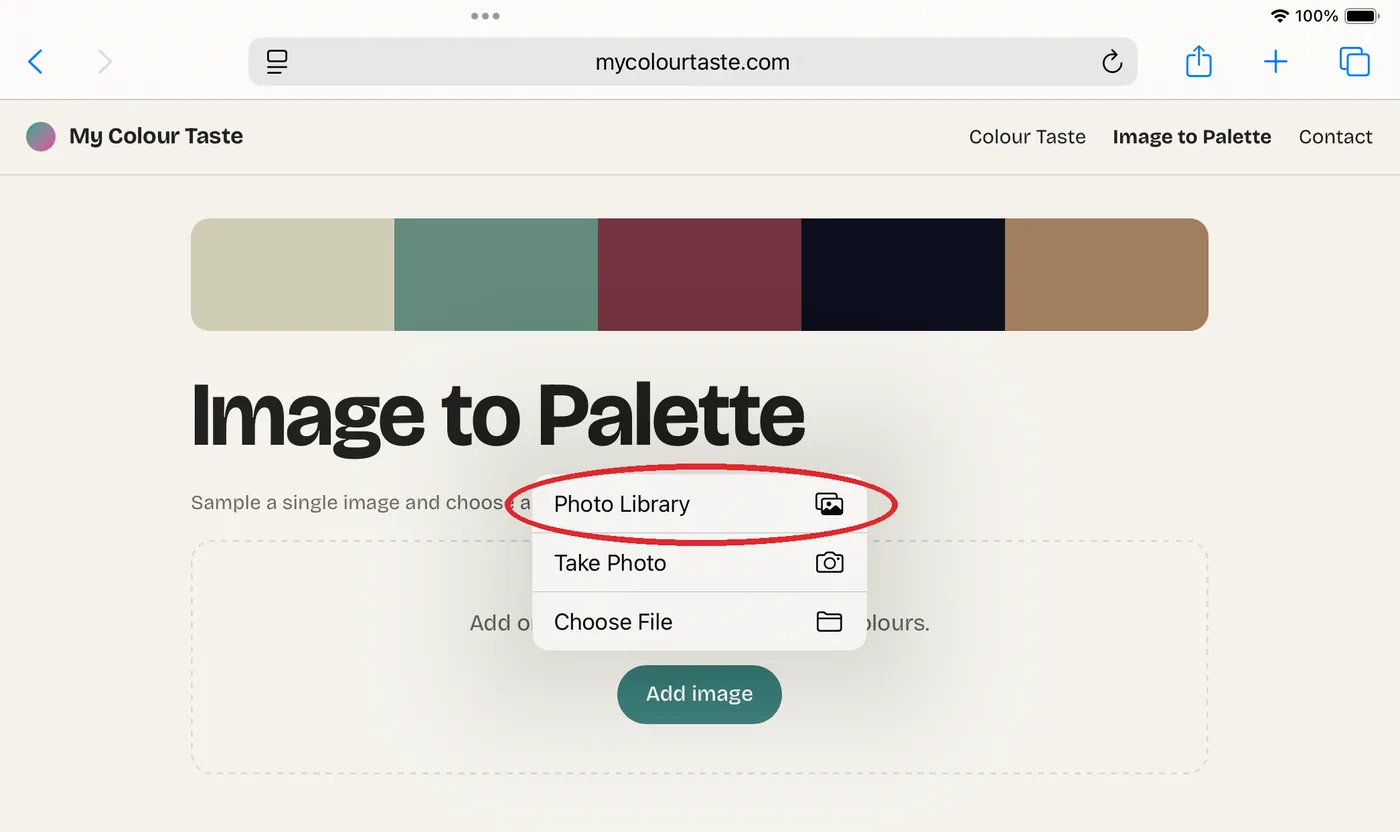
Tap Photo Library to pick from your photos. Choose File works for images saved in Files, and Take Photo lets you catch the colors around you.
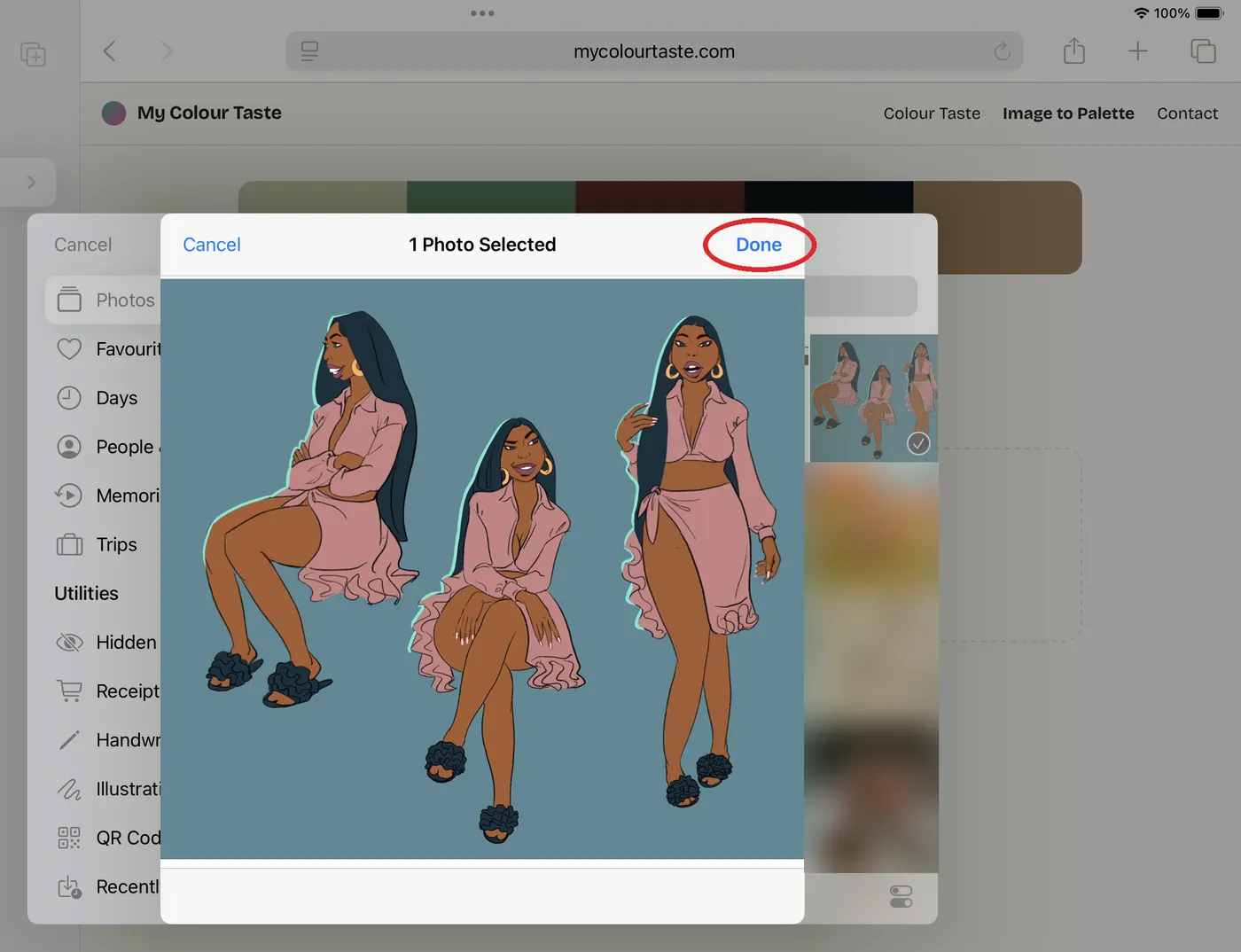
Pick your image
Tap the image you want, then tap Done. The colors are found right there on your iPad, so nothing is uploaded.
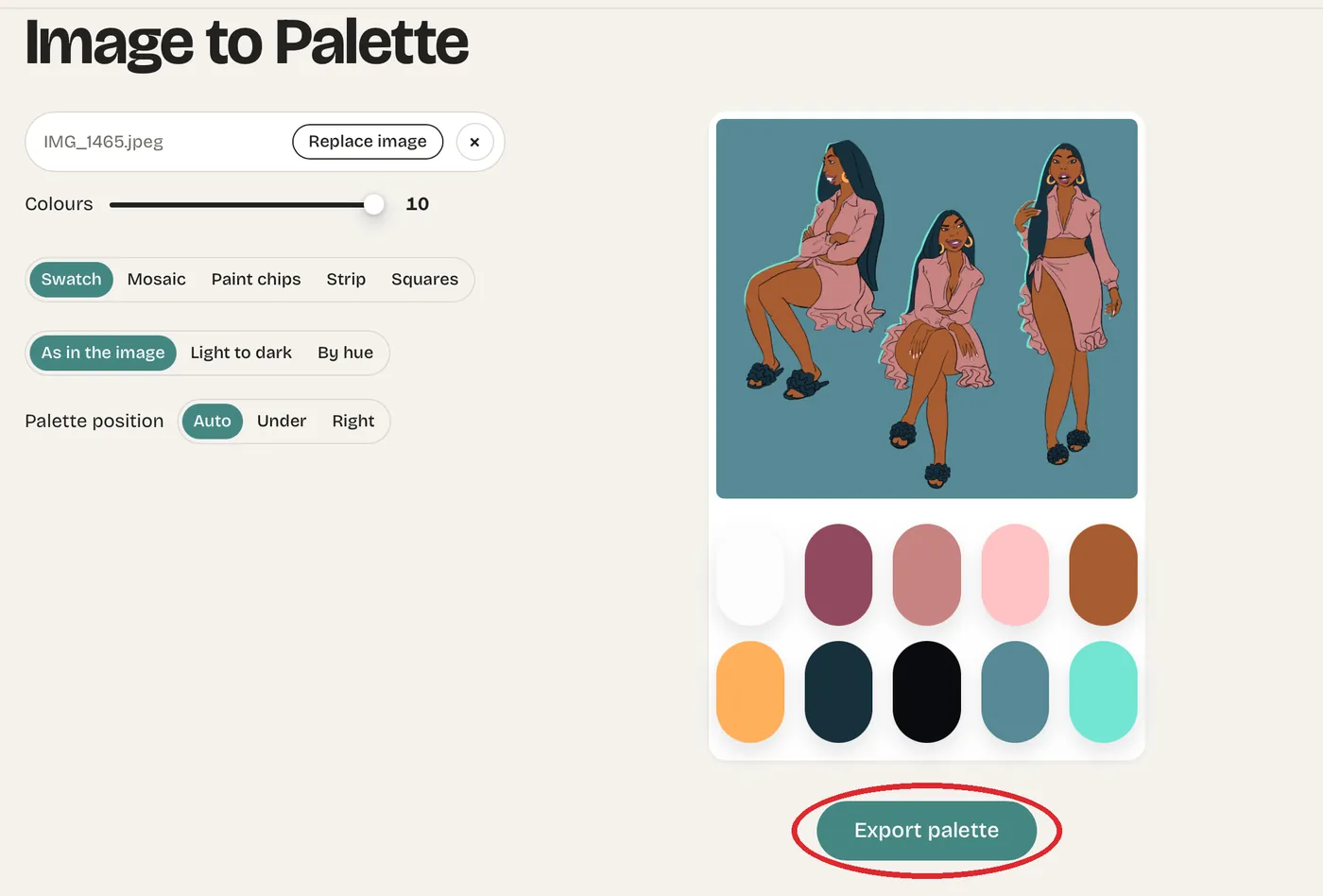
Check the palette, then export it
Image to Palette finds the main colors and the small accents. Use the Colours slider to choose how many swatches you want, and sort them as they sit in the image, light to dark, or by hue. Procreate gets the same colors in the same order.
When it looks right, tap Export palette.
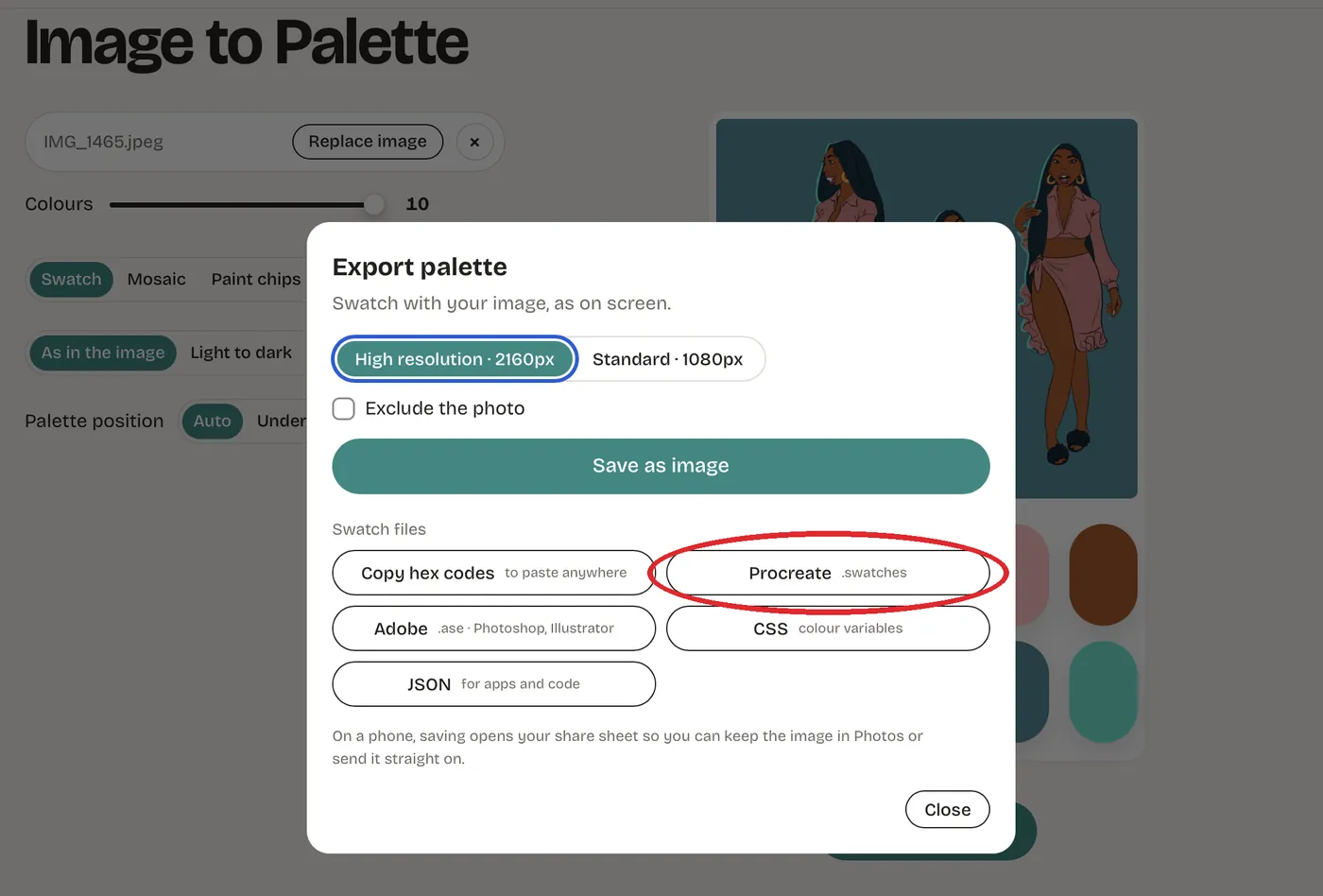
Tap Procreate
Under Swatch files, tap Procreate. It makes a .swatches file, the format Procreate uses for palettes.
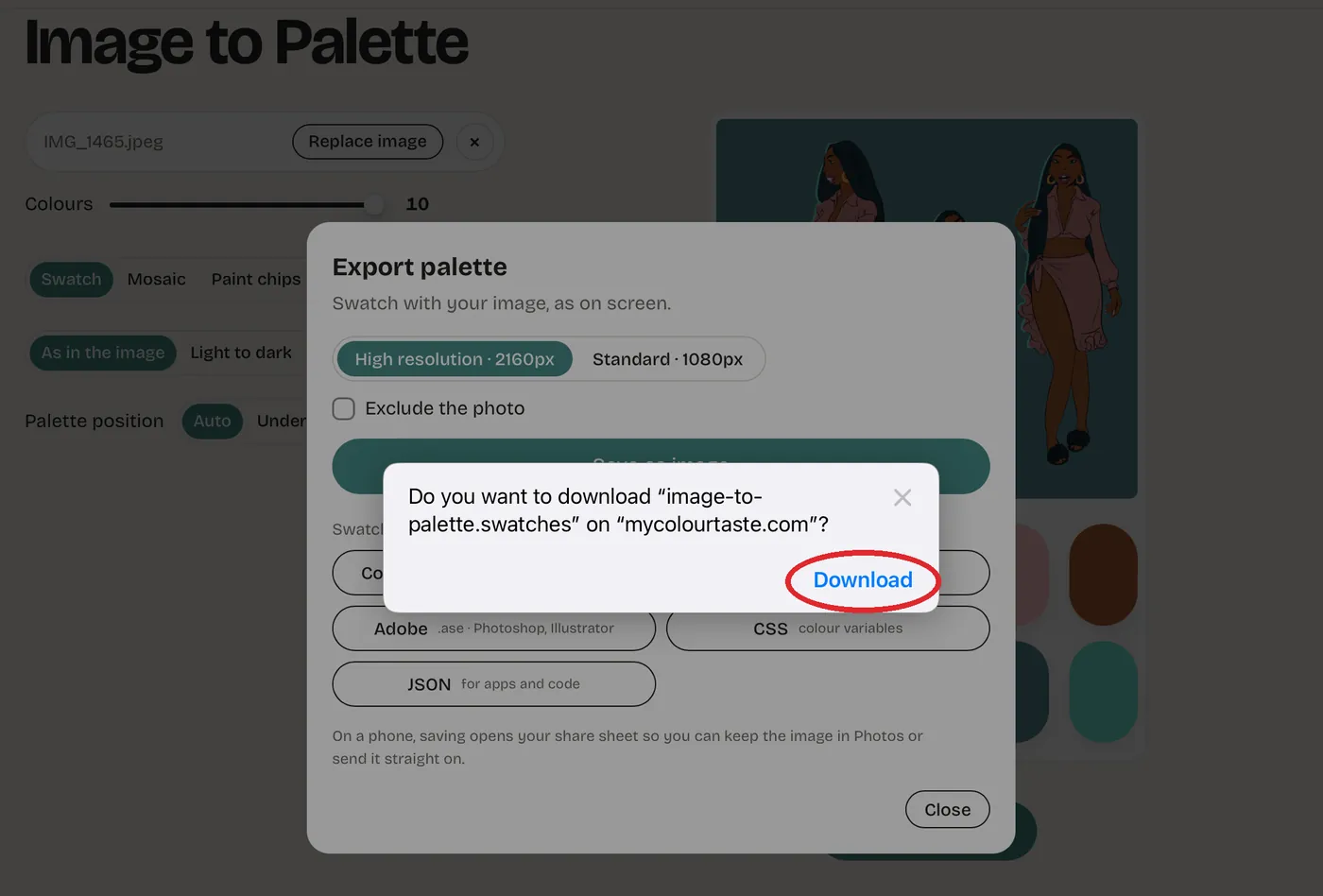
Tap Download
Safari asks whether to download image-to-palette.swatches. Tap Download.
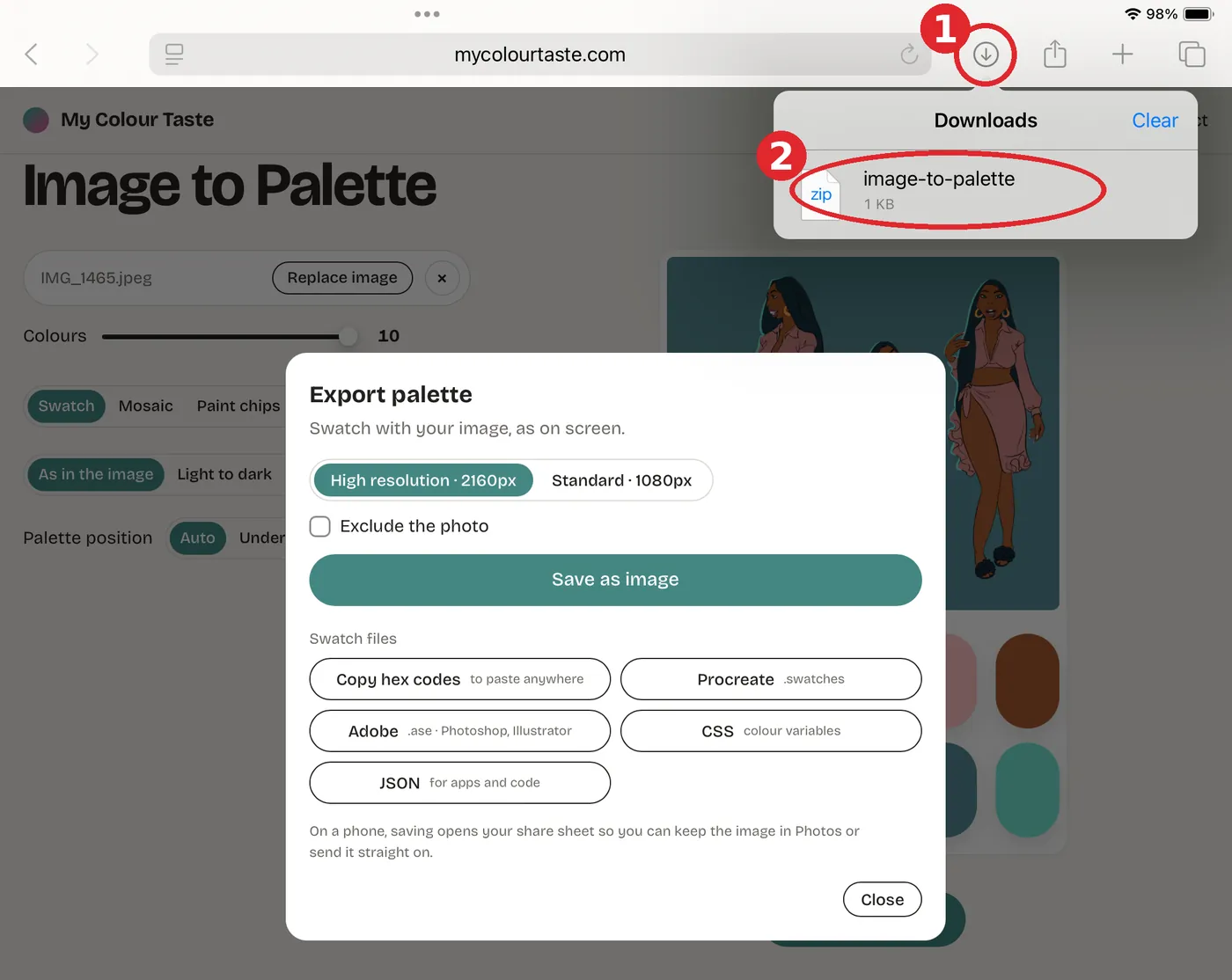
Open it from Safari’s downloads
Tap the downloads arrow at the top right of Safari (1), then tap image-to-palette in the list (2). Procreate opens and imports the palette straight away.
Can’t find it in the Files app? Open it from Safari’s downloads list instead, as shown here. It’s the quickest way.
Safari may show the file with a zip icon. That’s normal: a Procreate palette is a small zip file inside.
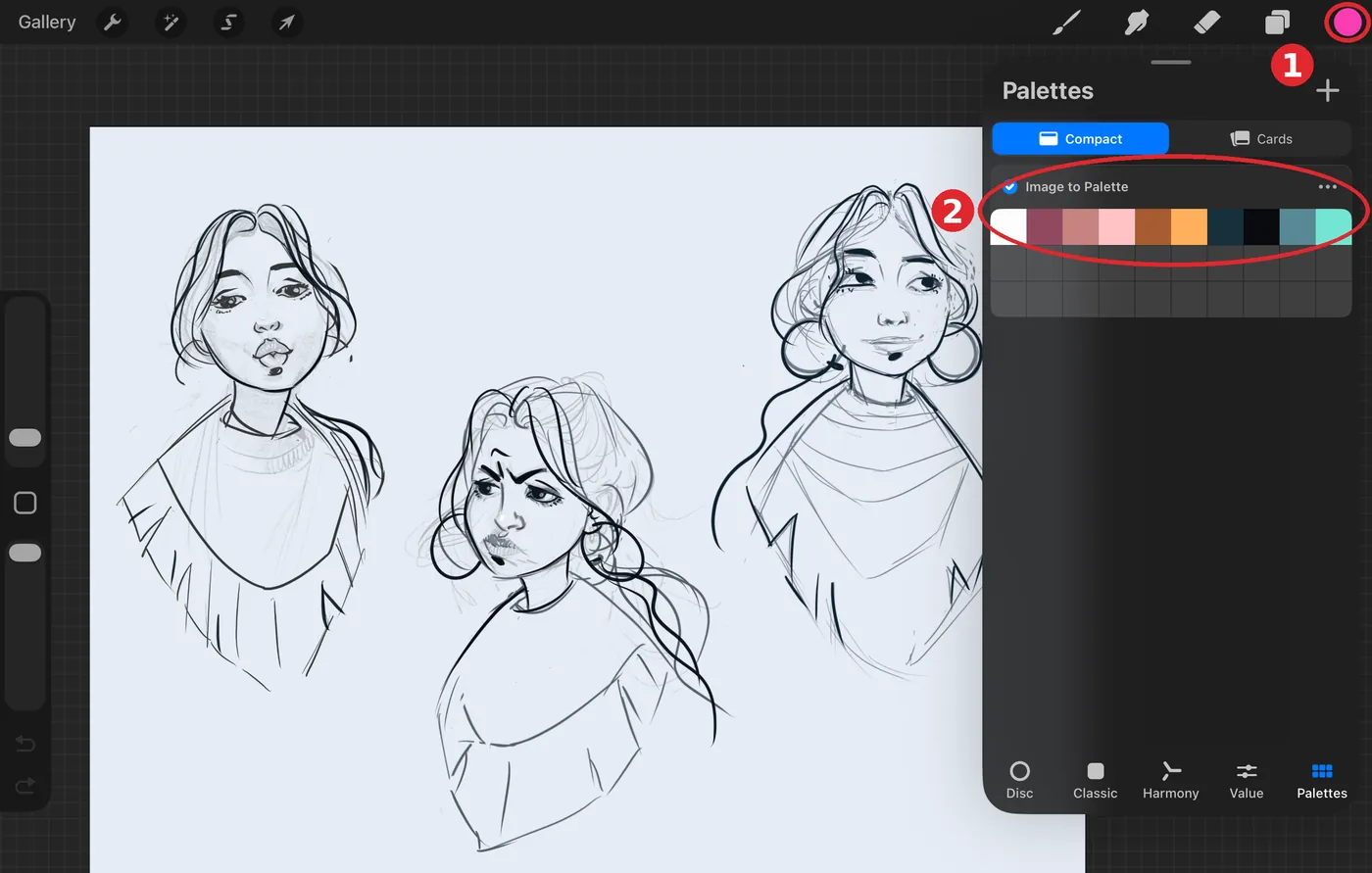
Find your palette in Procreate
In Procreate, tap the color circle at the top right (1) and open the Palettes tab. Your new palette, called Image to Palette, is at the bottom of the list (2).
Tap its name to rename it. The ••• button next to it has more options, like setting it as your default palette.
Good to know
Working on a computer?
Export the Procreate file there, then AirDrop it to your iPad. Tapping it on the iPad imports it the same way.
Want the palette as a picture too?
In the same Export palette window, Save as image saves a picture of your palette, handy as a reference or to pin on Pinterest.
Using Photoshop or Illustrator?
The Adobe button in the same window makes an .ase swatch file for Photoshop and Illustrator.
All the artwork in these screenshots is by Neli Chaneva.